
How it decides
Connection types, your countries, the eight switches, monitor and block mode, trusted players, the allow list, Bedrock and the data file.
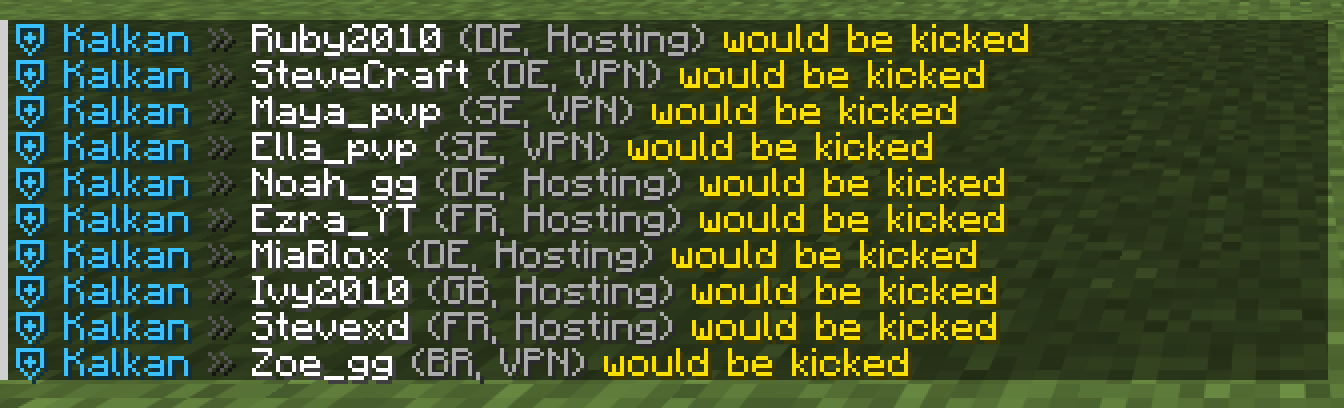
Every login gets a decision in Velocity’s pre-login step: allowed, would kick (monitor mode), kicked or exception (it matched a rule but the allow list or a trusted regular let it in).
Connection types
| Type | What it is | Can be blocked |
|---|---|---|
| Clean | Home, mobile and office lines | Never |
| Hosting | Datacenters, servers and clouds: AWS, Google Cloud, Oracle, DigitalOcean, Linode, Vultr and the hosting networks among 87,000 classified ones | Yes |
| VPN | Mullvad, NordVPN, Private Internet Access, Windscribe, AirVPN and IVPN by their server lists, plus VPN networks such as M247 and Datacamp that many VPN brands rent from | Yes |
| Tor | Every Tor exit node, refreshed every 30 minutes | Yes |
| WARP | Cloudflare’s 1.1.1.1 app, told apart from the rest of Cloudflare | Yes |
| Infrastructure | Addresses in your infrastructure-ips | Never |
| No data | The data file is not loaded yet | Never |
Your countries and other countries
home-countries is the list of your own countries, as two-letter codes (US, CA). Every address falls into your countries or other countries, and each blockable type has one switch per side:
| Switch | Key | Default |
|---|---|---|
| VPN, other countries | other-vpn | On |
| Hosting, other countries | other-hosting | On |
| Tor, other countries | other-tor | On |
| WARP, other countries | other-warp | Off |
| VPN, your countries | home-vpn | Off |
| Hosting, your countries | home-hosting | Off |
| Tor, your countries | home-tor | Off |
| WARP, your countries | home-warp | Off |
Monitor mode and block mode
| Mode | A login that matches a rule |
|---|---|
MONITOR (default) | Joins. The login is recorded as would kick. |
BLOCK | Is kicked at login with the kick message. |
Switching to block mode from the menu asks first and shows how many logins the same settings would have kicked in the last 24 hours.
The order of checks
- Country rule. The country is blocked, or outside a non-empty
onlylist. - Connection type. The type is Hosting, VPN, Tor or WARP and its switch is on for that side.
- Anything else is allowed.
When step 1 or 2 matches, Kalkan goes through these in order:
| Check | Result |
|---|---|
A Floodgate (Bedrock) player and bedrock-check is off | Allowed |
| The player name, IP / CIDR or ASN is on the allow list | Exception |
| A trusted regular (connection type rules only, never country rules) | Exception |
| Monitor mode and no attack in progress | Would kick |
| Block mode, or an attack in progress | Kicked |
Trusted players
A day counts when a player joins from a Clean connection. A player with at least min-days such days (3) within the last window-days (60) is a trusted regular and may also join through a VPN or a hosting address. A brand-new account cannot, and a trusted player still has to pass your login plugin. The days are kept in trusted.tsv; /kalkan player <name> shows the count.
The allow list and your infrastructure
allow.players,allow.ips(single IPs or CIDR ranges) andallow.asnsalways get in, past country rules as well.infrastructure-ipsis for your own proxies, backends and servers. Those addresses are never classified as anything else.
Bedrock players
Floodgate player names start with floodgate-prefix (default .). With bedrock-check: true (the default) they are checked like everyone else; set it to false to let every Bedrock player in.
The data file
- Team Atlantis builds and hosts
kalkan.db. Kalkan downloads it everyrefresh-minutes(10) with your license key, and an unchanged file is not downloaded again. - Checked before use. A file with tables that are too small is refused. Once at least 200 recent logins are known, a new file that would turn more than 15 points more of them into blocked types (and over 25% in total) is refused too, and the old one keeps working. The console says
New kalkan.db rejected: … keeping the old data. - It loads in about 0.15 s, takes about 37 MB of memory and answers a check in about 0.3 µs. The last good copy stays on disk, so a restart does not wait for a download.
Next: Country rules.