The /kalkan menu
The clickable dialog on Minecraft 1.21.6+, the chat menu on older clients, and what every button does.

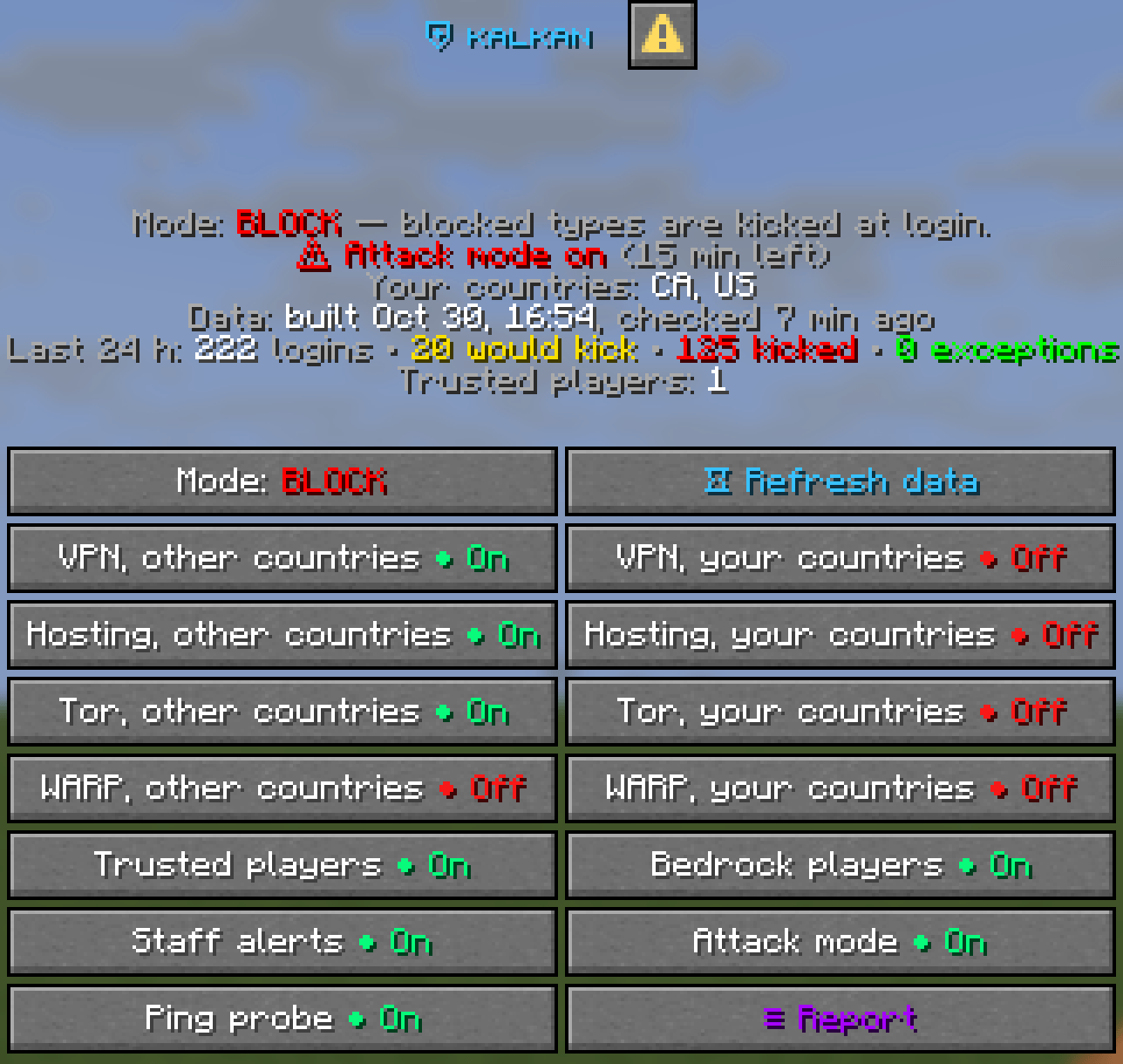
Type /kalkan. On Minecraft 1.21.6 and newer, with packetevents installed on the proxy, a clickable dialog opens. Older clients, and setups without packetevents, get the same menu in chat with clickable lines. In the console, kalkan prints it as text.
The status lines
- Mode: monitor or block, and ⚠ Attack mode on with the minutes left while an attack lasts.
- Your countries, and the country rule if you set one.
- Data: when the data file was built and when Kalkan last checked for a new one.
- Last 24 h: logins, would kick, kicked and exceptions.
- Trusted players: how many regulars are on file.
The buttons
| Button | What it does |
|---|---|
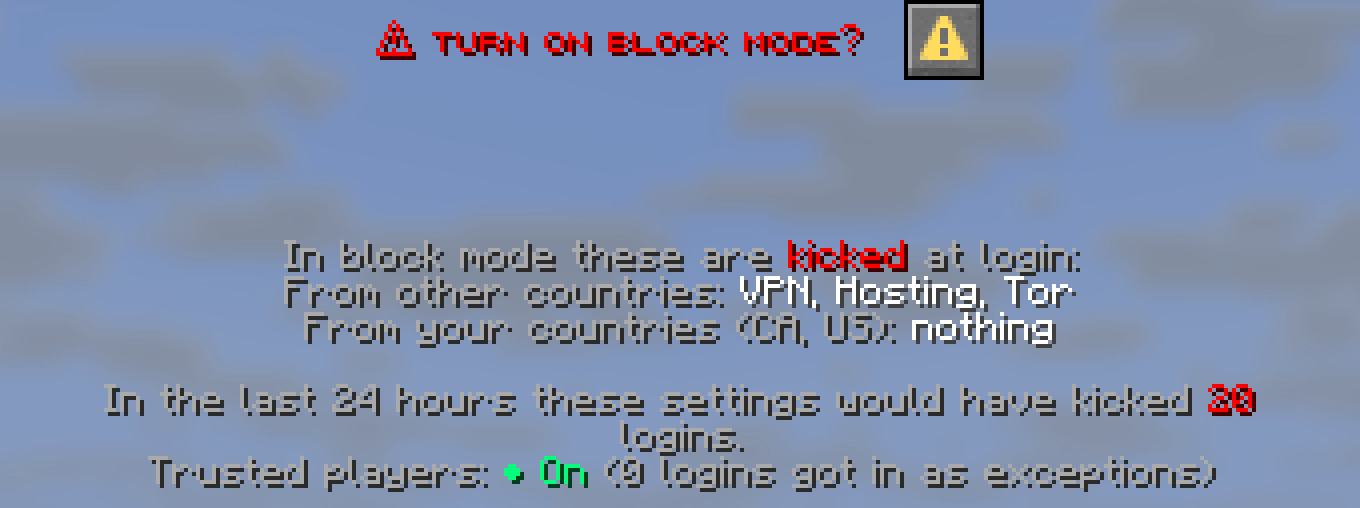
| Mode | Monitor ↔ block. Turning on block mode asks first. |
| Refresh data | Downloads the latest data file now. The result is posted in chat. |
| VPN / Hosting / Tor / WARP, other countries and your countries | The eight switches. Green is on. |
| Trusted players | Lets regulars with 3 clean days in 60 use a VPN |
| Bedrock players | Checks Floodgate players too |
| Staff alerts | Chat lines for every blocked login |
| Attack mode | Blocks a flood even in monitor mode |
| Ping probe | Experimental, log only |
| Report | The last 24 hours in numbers |
Every button explains itself on hover. A change applies at once, is saved to config.yml, and the console logs who changed what ([SETTING] Steve: mode → BLOCK).